Custom
Custom Node is a component node, present in all project type studios. It is a more advanced node configuration as it involves actual coding in java. A custom node is used when there is something that is not achievable by the framework. Users can drag drop and edit the code, writing their own logic to achieve desirable output.
Following are the steps on how to use custom-node:
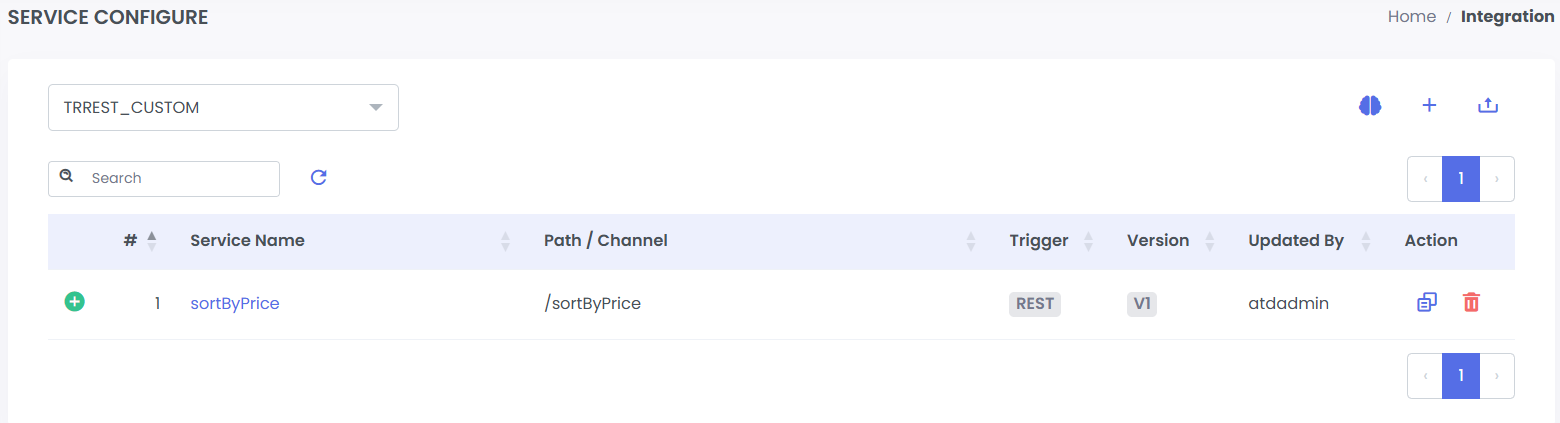
Step 1: Create a new service in your project or use an existing service. Refer TRREST_CUSTOM project for this example.
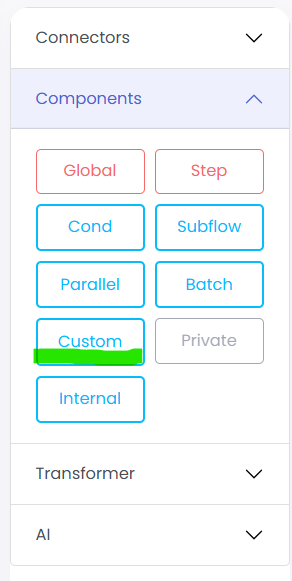
Step 2: We drag the custom component and name it sort, from the left side panel.
This service is a simple rest trigger, where the customer input comes as a json body from the rest post request. We then perform transformation on the json body to java List<Map<String, Object>>. We can now use this list to sort the customers in the custom node.
Step 3: Right-Click on the custom node and you will see a java class template.
import java.util.*;
import java.io.*;
import java.net.*;
import java.math.*;
import java.sql.*;
import java.nio.*;
import java.text.*;

import org.slf4j.Logger;
import org.slf4j.LoggerFactory;
import org.springframework.stereotype.Component;

import com.flow.common.exception.INTException;
import com.flow.core.processor.INTGenericProcessor;

@Component
public class sortByPrice_sort implements INTGenericProcessor {

    private static final Logger LOGGER = LoggerFactory.getLogger(sortByPrice_sort.class);

    @Override
    public boolean doProcess(Map<String, Object> pipeline, Map<String, Object> step) throws INTException {
        LOGGER.info("inside doProcess()");
        // TODO - Please add your logic here

        // Use this to put variable in pipeline
        /* pipeline.put("##OUTPUT##",""); */
        return false; // Suggests no error. True suggests error
    }
}
Here the class name is sortByPrice(service name) +”_”+ sort(node name). You can write you logic in the doProcess().
Note: Don't change the class or method name. You can add imports or write new private methods.
Step 4: Now we will write our logic here.
import java.util.*;
import java.io.*;
import java.net.*;
import java.math.*;
import java.sql.*;
import java.nio.*;
import java.text.*;


import org.slf4j.Logger;
import org.slf4j.LoggerFactory;
import org.springframework.stereotype.Component;


import com.flow.common.exception.INTException;
import com.flow.core.processor.INTGenericProcessor;


@Component
public class sortByPrice_sort implements INTGenericProcessor {


    private static final Logger LOGGER = LoggerFactory.getLogger(sortByPrice_sort.class);


    @Override
    public boolean doProcess(Map<String, Object> pipeline, Map<String, Object> step) throws INTException {
        List<Map<String, Object>> customers = (List<Map<String, Object>>) pipeline.get("customers");
        LOGGER.info("{} customer(s) data provided.", customers.size());


        customers.sort(Comparator.comparingDouble(
            m -> (double) m.get("price")
        ));

        LOGGER.info("sorted {} customer(s) by price.", customers.size());
        pipeline.put("sortedCustomers",customers);
        return false;
    }
}
We have sorted the customers by their price in ascending order and put the final list in the pipeline for the key “sortedCustomers”.
Note: The return boolean for the processor method doProcess is defined: Did error occured while processor execution? False determines no error, while true or throwing error means error occurred.
Step 5: By clicking on the save button the compiler will compile the code for any error. It will take some time to compile the class. If any error occurred it will be shown below.
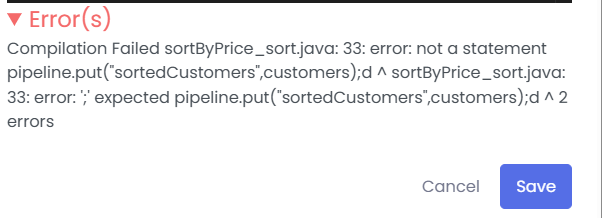
For successful compilation, it will close the panel automatically.
Now just build the project as defined in the build. And deploy and start the application.